Pixel World, a beautifully made website using React, Redux and firebase for people to play and share creativity. This is a project that I have done in the DH2642 interaction programming course at KTH along with my fellow teammates: David Segal, Krisztina Biro and Gabi Kiryluk. We developed a fully functional web application mainly using React, Redux Toolkit, Tailwind CSS, P5.js and Firebase, and I am responsible for the architecture design and implementation of the application, which insures we have a clean redux state management and a separation of concerns with the MVP architecture.
Table of contents
Open Table of contents
Pixel World
Firebase deployment link: Pixel World
GitHub repository link: GitHub
Description
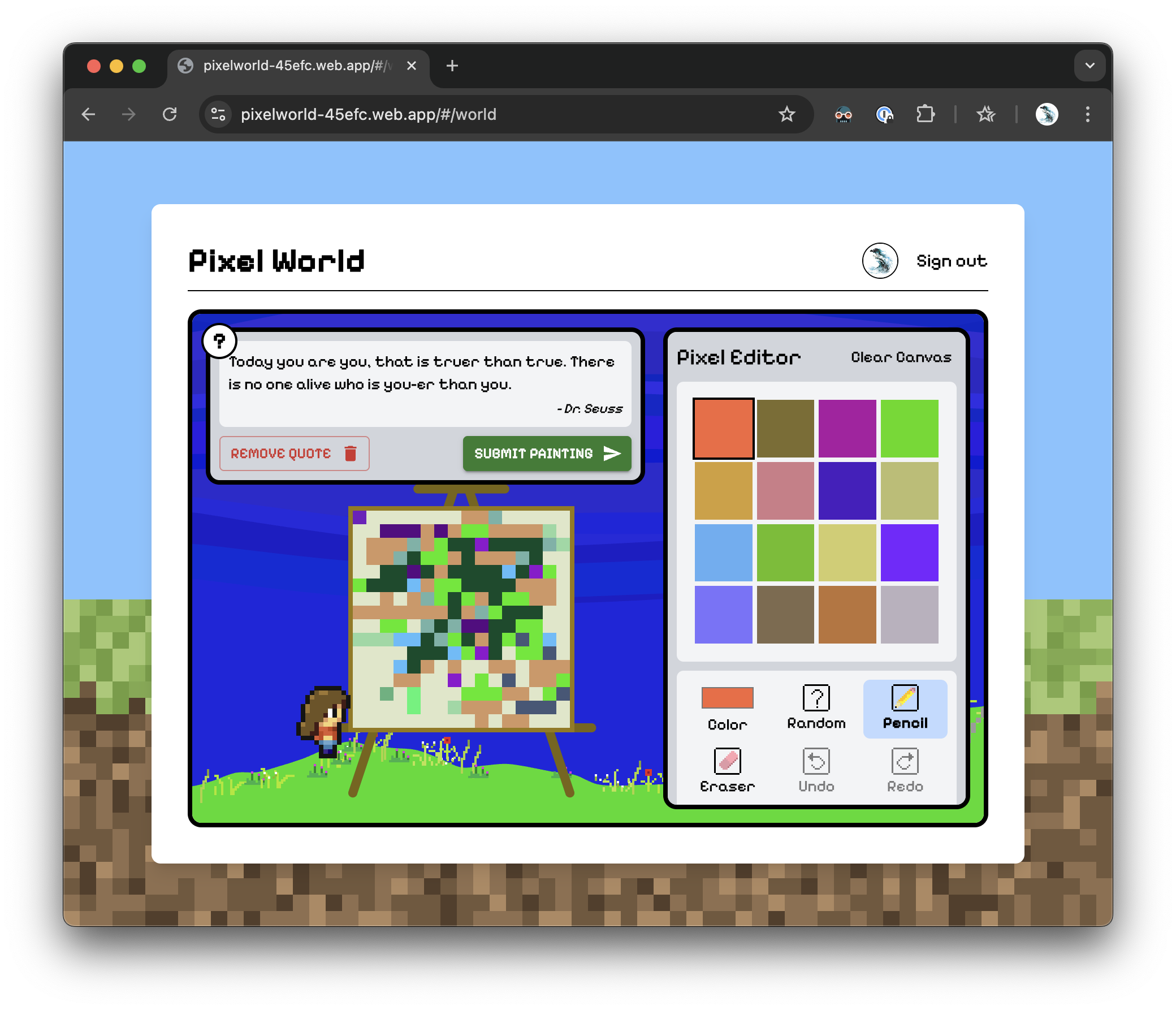
PixelWorld is a web application that encourages creativity and sharing through pixel art. Users explore a 2D world where they receive a “quote of the day” as inspiration for a 16x16 pixel painting. If they like the quote, they can attach it to their artwork (only one quote per painting). Users can also refresh the quote to find new inspiration. The environment’s weather is determined by the user’s actual geolocation, adding a dynamic touch to the experience.
Users can visit the Museum to browse and appreciate paintings uploaded by others, each showcasing its quote and a personal description from the artist. Users can also upload their own paintings to share their art and inspiration with the community.
Features
- Quote of the Day: Users receive a daily quote to inspire their pixel art creations.
- Dynamic Weather: The environment’s weather reflects the user’s actual geolocation, enhancing immersion.
- Drawing Your Painting: Users can create pixel art on a 16x16 canvas, using a simple drawing tool with undo/redo support.
- Painting Submission: Users can upload their own pixel art, attaching a quote and personal description.
- Museum: A gallery where users can like and comment on paintings created by others, each with its own quote and description.
- Real-time Updated Likes and Comments: The likes and comments are updated in real-time!
- Responsive Design: The application is designed to be responsive and works well on both desktop and mobile devices*.
- User Profile: Users can view their own paintings, along with their profile information.
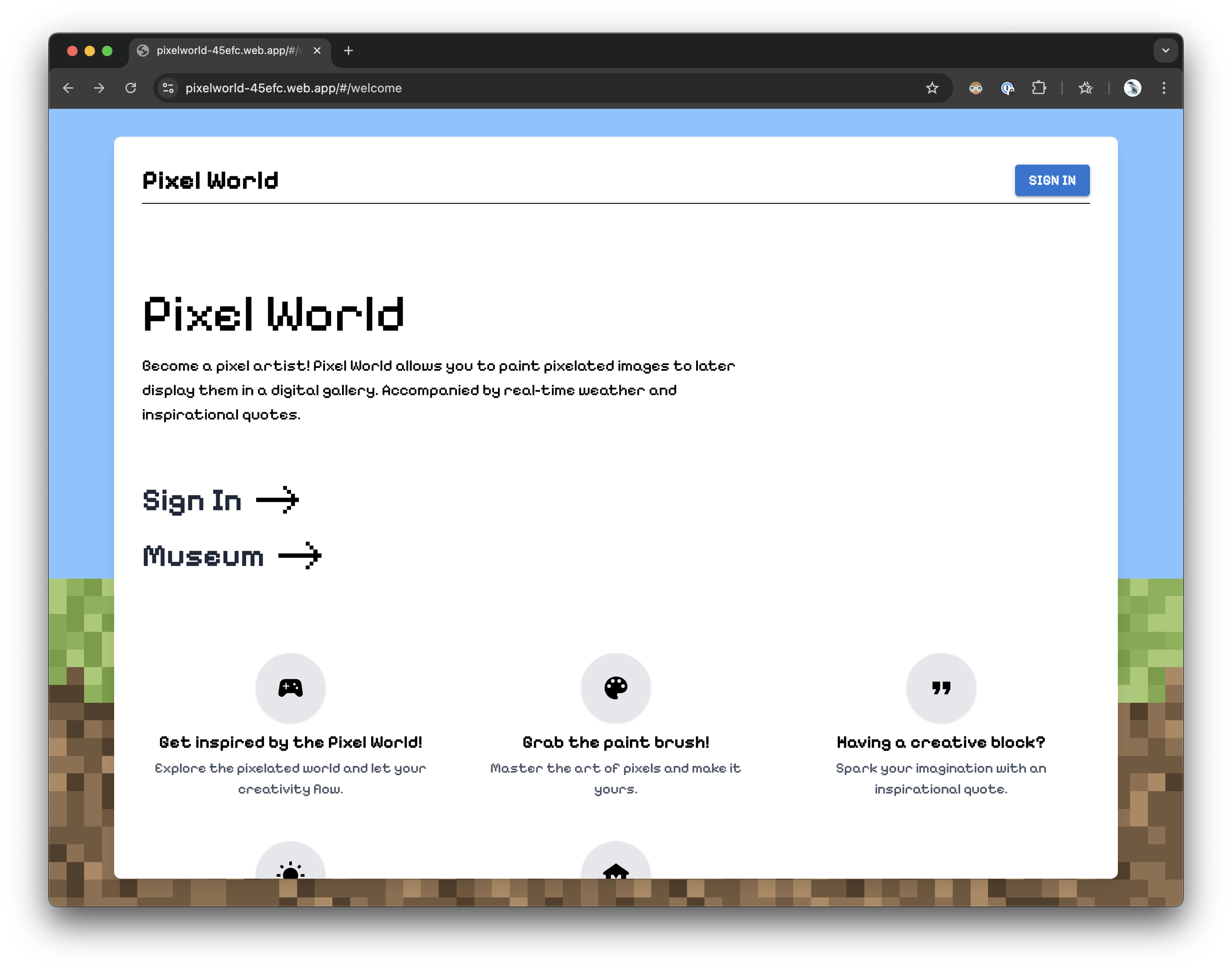

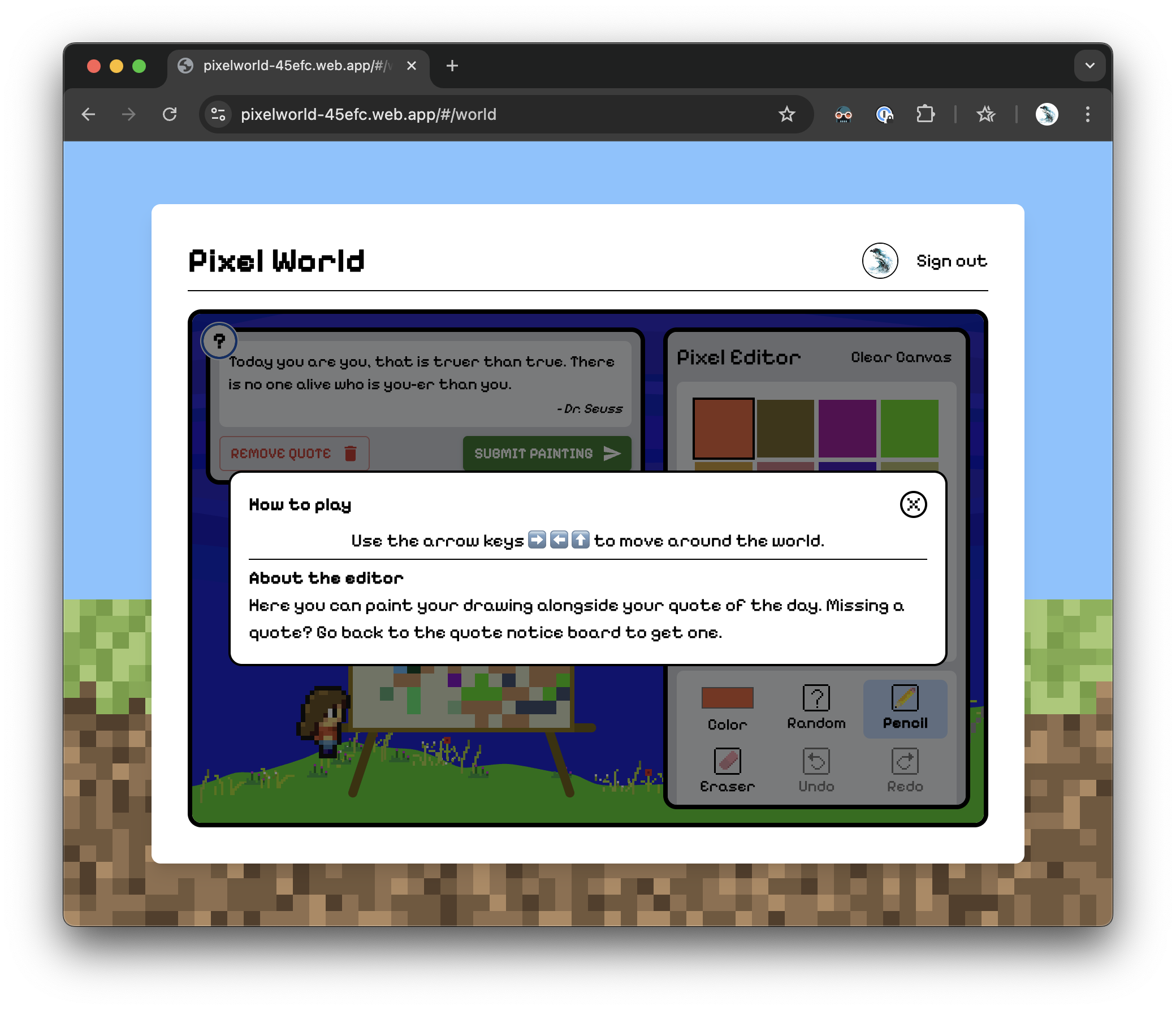
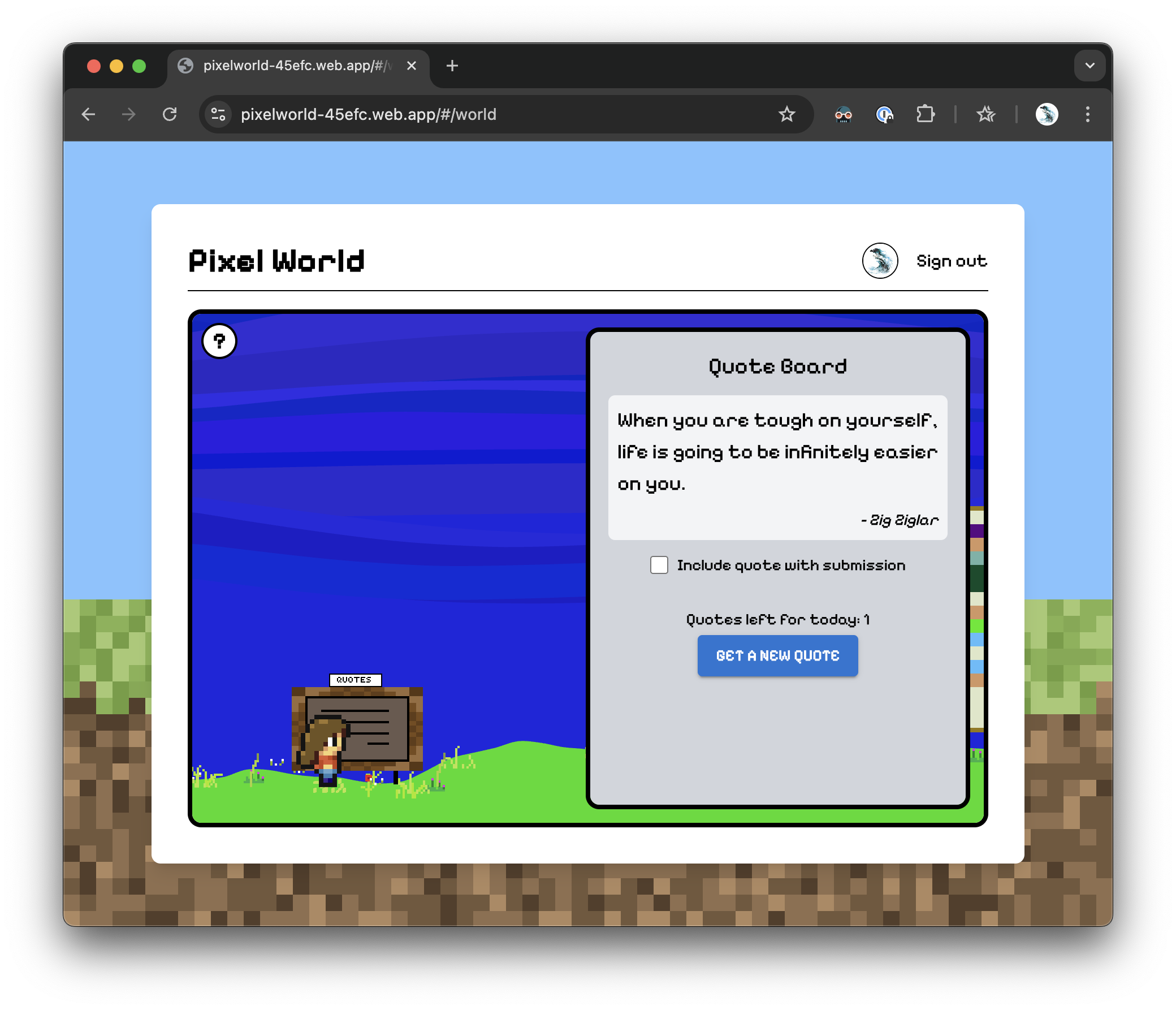
*Note: The application works best on laptop or bigger screens. The world page will give a warning on mobile devices with narrow screens or without keyboard inputs. All other pages are fully responsive and usable on mobile devices.
Technology stack
- React
- Redux Toolkit
- React Redux
- React Router
- Firebase
- Tailwind CSS
- Material UI
- P5.js
- P5-wrapper/react
- Vite
- David’s custom micro game engine
Architecture
Overview
The architecture of the application follows the Model-View-Presenter (MVP) pattern, with a mix of our own custom game engine with P5.js. It is not quite a traditional purely DOM based MVP, because we have to manage the game engine has its own state and rendering loop. We managed to use the Redux state to communicate with the game engine with the P5 react wrapper, including passing along props to and triggering custom events from the game engine. Other than that, every state is controlled by Redux except for some local states used for rendering effects and input form purposes.
The separation of the view and model in our project should allow us to easily swap out either layers without affecting the other. We mapped the view to the Redux state using React Redux and we don’t have any hooks accessing the Redux state anywhere from the view, except the NavBar component. It is a reusable root component and we don’t want to pass the user props for every single page and then into the component, so we just used the useSelector and useDispatch hook from React Redux to access the Redux state and actions directly in the NavBar component. This component is also very small so maintenance won’t be an issue. This is a small exception to our MVP architecture, but we think it is justified.
View
The views are all functional components. We mainly used Tailwind CSS for styling and we also used some Material UI components like buttons and text fields. All major views are located in the pages folder, and all reusable components are located in the components folder. The major views are as follows:
MuseumPage.jsx: Displays all paintings with a hall of fame which contains the three most lied paintings.DetailPage.jsx: Shows a single painting with its details, including the quote and description with the option to like and comment.WorldPage.jsx: The main interactive canvas where users can explore the pixel world and create their pixel art.ProfilePage.jsx: Displays the user’s profile information and their previously created paintings.LoginPage.jsx: Handles user authentication, including sign-up and login.WelcomePage.jsx: The landing page that introduces the application and its features.
Presenter
We used React Redux to connect the Redux state to the views. The container components are connected to the Redux store and act as presenters (generated), passing the state and dispatching actions to the views. We used the connect function from React Redux to map the state and dispatch functions to props in the container components. All the container components are located in the containers folder. Each page will get its own container.
Model
The model is implemented using Redux Toolkit. We used the createSlice function to create slices for each major feature of the application. Each slice contains the initial state, reducers, and actions for that feature. The slices are located in the app/slices folder.
We initially created slices depending on each page of the application, but we later realized that it is better to create slices depending on the features of the application. For example, we created a paintingsSlice for the paintings feature, which is merged from museumSlice, detailSlice and profileSlice, which all three are related to the paintings feature.
The slices are as follows:
-
authSlice- Manages user authentication and related state.
- Responsibilities:
- Handle Google sign-in, email/password sign-up, and login.
- Manage user logout.
- Update user display name.
- Store user information (
uid,displayName,email,photoURL). - Track authentication status (
idle,loading,succeeded,failed). - Handle authentication errors.
-
quoteSlice- Manages daily quotes and user-specific quote data.
- Responsibilities:
- Fetch a random daily quote.
- Track remaining quotes for the day.
- Store the current quote and its timestamp.
- Check and update user-specific quote data in Firebase.
- Reset quote state when a new day starts.
-
weatherSlice- Manages weather data and related state.
- Responsibilities:
- Fetch weather data based on geolocation.
- Parse and store weather details (e.g., temperature, wind speed, air pressure).
- Map weather codes to human-readable descriptions (e.g., “clear sky”).
- Track weather fetch status (
idle,loading,succeeded,failed).
-
commentsSlice- Manages comments for paintings.
- Responsibilities:
- Add, delete, and fetch comments from Firebase.
- Handle live updates for comments (e.g., add, update, remove).
- Sort comments by timestamp.
- Track comment-related status (
idle,loading,succeeded,failed) and errors.
-
likeSlice- Manages likes for paintings.
- Responsibilities:
- Toggle likes for a painting (add or remove).
- Fetch the count of likes for a painting.
- Fetch the list of paintings liked by a user.
- Track user-specific liked paintings.
- Handle like-related errors and loading states.
-
paintingsSlice- Manages painting data and user interactions with paintings.
- Responsibilities:
- Fetch all paintings, user-specific paintings, or a single painting by ID.
- Upload and delete paintings.
- Manage player painting state (e.g., undo/redo edits, save quotes).
- Track selected painting and painting-related status (
loading,error). - Provide selectors for filtering and sorting paintings.
-
pixelEditorSlice- Manages the pixel editor state for creating/editing paintings.
- Responsibilities:
- Store the pixel array and color palette.
- Track the current tool (e.g., pencil, eraser, fill).
- Manage the current color and selected palette slot.
- Update the pixel array and color palette.
-
worldSlice- Manages the current panel state in the application.
- Responsibilities:
- Track the active panel (e.g., weather, editor, quote, world, museum).
- Handle loading and error states for panel transitions.
-
appSlice- Manages global application state.
- Responsibilities:
- Track whether the app is ready for use.
- Provide a simple mechanism to set the app as ready.
Persistence
The application state is persisted in Firebase using the following collections:
paintingsCollection:- Stores user-created artwork
- Includes metadata (author, title, timestamp)
- Contains quote association and color matrix
userPaintingsCollection:- Identified by user ID
- Stores users’ unfinished paintings
userQuotesCollection:- Stores users’ quotes
- Keep track of the last time the user fetched a new quote to control the number of quotes the user can fetch for each day
commentsCollection:- Stores comments for each painting
- Each comment is associated with a painting ID and user ID
likesCollection:- Stores likes for each painting
- Each like is associated with a painting ID and user ID
Initialization and authentication
The application initializes the Redux store and sets up the Firebase connection, and set up a auth listener to check if the user is logged in. If the user is logged in, the application fetches the user’s own data such as unfinished painting and their quotes from Firebase and updates the Redux store.
We are using Firebase for user authentication, allowing sign-in and registration with email and password or with Google account.
Side effects with RTK listeners
We have two RTK listeners:
-
paintingListenerMiddleware:
This middleware listens for Redux actions related to paintings. It handles tasks such as fetching painting details when a painting is selected, refreshing the painting list after a deletion, updating likes count, and saving changes to the player’s painting in Firebase. It also ensures that the saved quote matches the current quote and updates the state accordingly. -
firebaseListenerMiddleware:
This middleware manages real-time updates from Firebase. It listens for changes in comments and likes for specific paintings, as well as the user’s liked paintings. It sets up Firebase listeners (for live-updates) to sync these updates with the Redux store and ensures that the application state reflects the latest data from Firebase. It also handles starting/stopping listeners based on user actions like selecting a painting or logging in/out.
Real-time updates with Firebase
We are using Firebase’s real-time database to handle live updates for comments and likes. When another user interacts with a painting (e.g., liking or commenting), the changes are notified by Firebase and trigger our listener callbacks to dispatch actions to change our state in the Redux store, and those states are reflected in the UI without requiring a page refresh. This is achieved through Firebase listeners that trigger Redux actions to update the state.
External APIs
We are using the following external APIs:
- Quote API: Provides daily inspiration through random quotes
- Weather API: Fetches real-time weather data based on user’s geolocation
- Firebase Services: Handles data persistence and authentication
All API calls are done through Redux thunks and error handling and loading states are managed uniformly.
Micro engine
We created a tiny component based game engine called MicroEngine that helps compartmentalize game features and enforce good data structures. The engine has rudimentary built in components for game structure, animation, rendering, and physics but also allows for composing custom components. We have integrated p5.js as a third party user-visible component which is used by MicroEngine to aid complex canvas rendering tasks. Additionally the scribble.js library is used for some special rendering purposes. The engine is located in the src/utils/engine folder and is used in the sketch.jsx component.
User experience
Our target group consists of creative individuals—primarily younger users—who are familiar with digital aesthetics and enjoy engaging in short bursts of creative activity. We aim to offer an experience that is stimulating yet not overwhelming, providing just enough tools and structure to inspire creativity without creating pressure or complexity. Users are free to explore at their own pace: a painting can take three minutes or three hours, depending on how deeply they want to engage. The goal is to encourage creativity in a relaxed, low-stakes environment that fits easily into their daily routines. Additionally, we aim to foster social connection and a sense of accomplishment by showcasing users’ artwork in a community museum, where they can view, like, and comment on each other’s paintings.
File structure
dsegal-kbiro-kiryluk-zhuan-vt25-Project/
├── .firebase/
├── public/                   # Publicly accessible assets for the app
│   ├── assets/               # General assets like images and icons
│   └── game_assets/          # Game-specific assets like sprites and JSON files
├── scripts/                  # Utility scripts for tasks like uploading data
│   └── uploadPaintings.js    # Script to upload painting mock data
├── src/                      # Main source code for the application
│   ├── index.jsx             # Entry point for the React application
│   ├── api/                  # API-related code for external services
│   │   ├── apiConfig.js      # Configuration for API endpoints
│   │   ├── quoteAPI.js       # API logic for fetching quotes
│   │   └── smhiWeatherAPI.js # API logic for fetching weather data
│   ├── app/                  # Application-level configuration and state management
│   │   ├── firebase.js       # Firebase initialization and configuration
│   │   ├── store.js          # Redux store setup
│   │   ├── middleware/       # Custom Redux middleware
│   │   └── slices/           # Redux slices for managing state
│   │       ├── authSlice.js          # State management for authentication
│   │       ├── commentsSlice.js      # State management for comments
│   │       ├── likeSlice.js          # State management for likes
│   │       ├── paintingsSlice.js     # State management for paintings
│   │       ├── pixelEditorSlice.js   # State management for the pixel editor
│   │       ├── quoteSlice.js         # State management for quotes
│   │       └── weatherSlice.js       # State management for weather data
│   ├── components/           # Reusable React components
│   │   ├── Layout.jsx                # Layout wrapper for pages
│   │   ├── NavBar.jsx                # Navigation bar component
│   │   ├── PaintingDisplay.jsx       # Component to display paintings
│   │   ├── PixelEditorComponent.jsx  # Pixel editor UI component
│   │   ├── QuoteBoard.jsx            # Component to display quotes
│   │   ├── ScrollFade.jsx            # Scroll animation component
│   │   ├── Sketch.jsx                # Sketching/drawing component
│   │   ├── SubmitModal.jsx           # Modal for submitting data
│   │   ├── Suspense.jsx              # Fallback UI for lazy-loaded components
│   │   └── WeatherDashboard.jsx      # Weather display component
│   ├── containers/           # Containers (Presenters)
│   │   ├── Detail.jsx                # Detailed painting view container
│   │   ├── Login.jsx                 # Login page container
│   │   ├── Museum.jsx                # Museum view container
│   │   ├── Profile.jsx               # User profile container
│   │   └── World.jsx                 # World view container
│   ├── pages/                # Full-page components
│   │   ├── DetailPage.jsx           # Detailed painting page
│   │   ├── LoginPage.jsx            # Login page
│   │   ├── MuseumPage.jsx           # Museum page
│   │   ├── ProfilePage.jsx          # Profile page
│   │   ├── WelcomePage.jsx          # Welcome/landing page
│   │   └── WorldPage.jsx            # World page
│   ├── styles/               # Styling files for the application
│   │   ├── global.css               # Global CSS styles
│   │   └── muiTheme.js              # Custom Material-UI theme
│   └── utils/                # Utility functions
│       ├── color.js
│       └── engine/                  # Game engine
│           ├── actors.js
│           ├── inputSystem.js
│           ├── microEngine.js
│           └── scribble.js
├── .firebaserc
├── .gitignore
├── .prettierrc
├── firebase.json
├── index.html
├── package.json
├── README.md
├── tailwind.config.js
└── vite.config.js