Table of contents
Open Table of contents
DeepSeek blows up
I have been using ChatGPT for a while now, and I use it for everything from asking random questions to making it my Swedish teacher. Because ChatGPT is sort of the very first of its kind in making LLMs, I usually assume it is the best. But now that there are a bunch of other LLMs appearing on the market, OpenAI is facing some challenges. Just a few days ago, a company called DeepSeek blew the whole Silicon Valley up just because of the performance of their models. (The Economist) What’s surprising is that their models are open source as well. The DeepSeek-R1 model seems to outperform OpenAI’s o1 in many categories, and o1 costs $20 a month with a 50-conversation cap per week. The R1 is freely accessed on DeepSeek’s website with a 50-conversation cap per day. Well, since it’s open source, and I happen to have a MacBook with 32GB of unified memory (which means the GPU can use almost all of it as well), I just thought, why not try it out locally, even though I know the performance won’t be as dramatic with a much smaller number of parameters.
llama.cpp
So, if I were to run an LLM locally, I would need a client or a runtime to help me deploy the model so I can talk with it. I chose llama.cpp because one of my friends who has worked with LLMs before recommended it. Also, it works with macOS beautifully with its mostly C++ implementation.
Installation
I had brew on my mac, so
brew install llama.cpp
and everything was done for me.
Download the models
The star of the show is the DeepSeek-R1 model. According to the documentation of llama.cpp, I need the models to be in the GGUF file format. So I downloaded the GGUF models from HuggingFace, which seems to be the hub for open-source AI stuff.
There are several versions of the DeepSeek-R1 model available. Now I need to decide which one I should use because my memory is 32GB, and the model needs to be fully loaded into memory when running. Usually, the bigger the size of the parameters of a model, the better the performance. The hope is that I can run the 32B one with a 6-bit quantization (26.9GB file size).
But just to try llama.cpp out, I downloaded the 1.5B one first and put it into a /models folder.
Run the models
Then I ran the following command:
llama-server -m ./models/DeepSeek-R1-Distill-Qwen-1.5B-Q5_K_M.gguf
The llama.cpp loaded the model into a runtime and pulled up a frontend website for chatting as well. The frontend can be accessed via http://127.0.0.1:8080 by default. And then I could just chat with the model right away, just like on ChatGPT’s website.
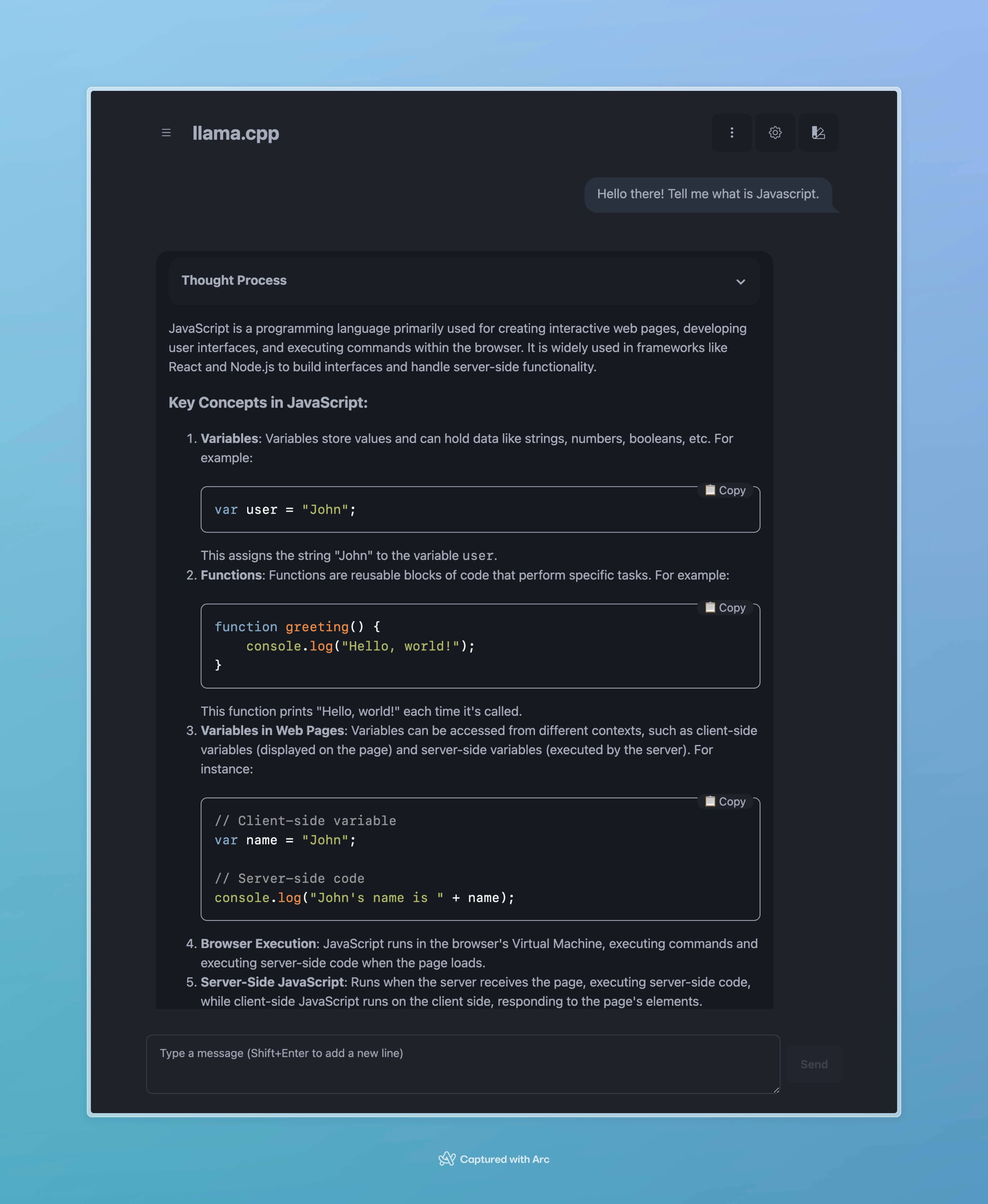
It was actually really fast with the 1.5B model. It could output with a speed about 60 tokens per second.

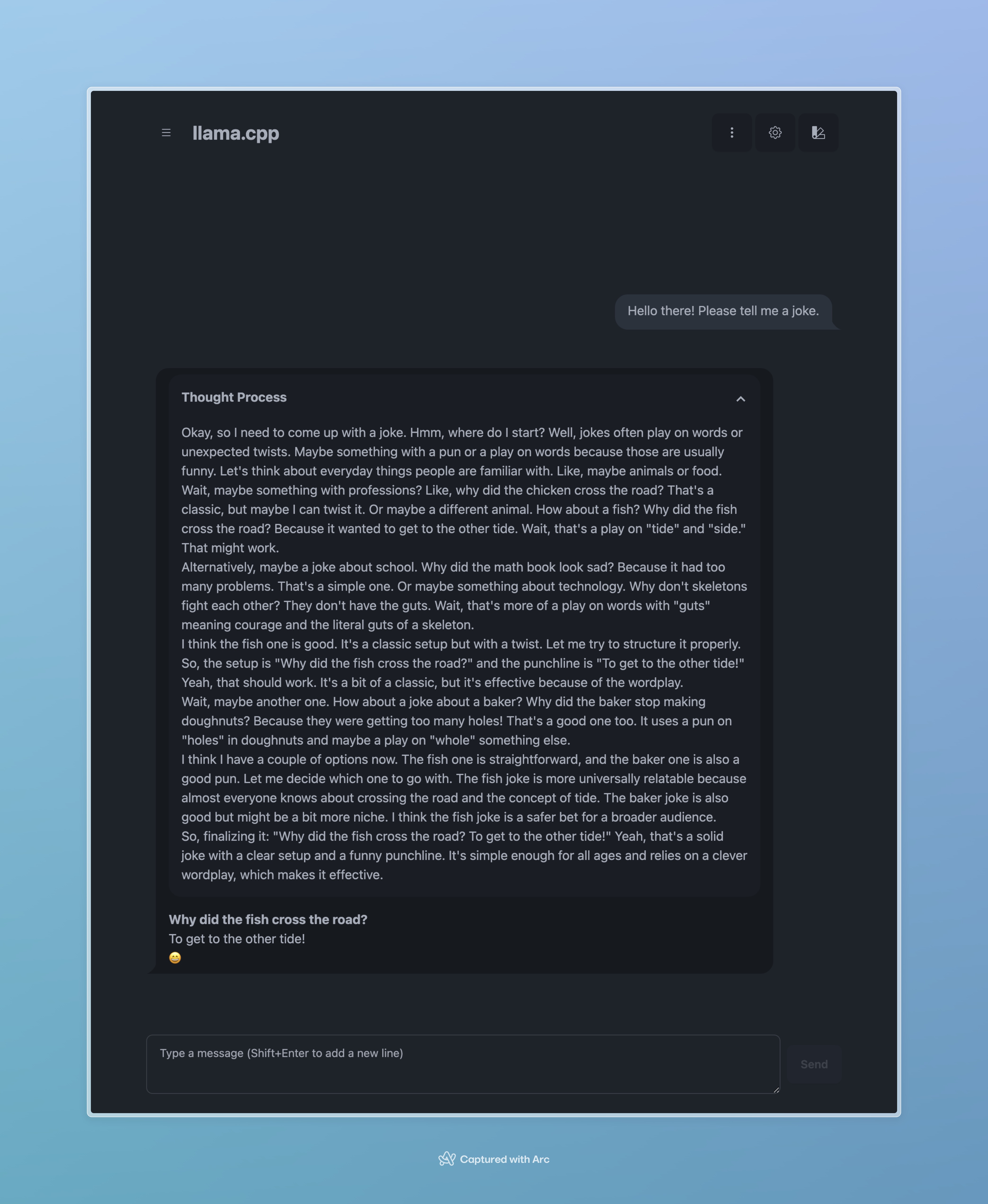
But if I want to ask more complex questions, the 1.5B one couldn’t handle it. It actually got stuck in an infinite loop of thinking when I asked it to tell a joke, lol.
Now for the 32B-Q6 one. Initially, llama.cpp would complain about insufficient memory. It turned out the default memory size for the GPU to use on a Mac is half of the total memory, but there is a way around this. Here is the command:
sudo sysctl iogpu.wired_limit_mb=30000
This will let my GPU use up to 30000MB of memory, which is technically enough for running the 32B-Q6 with a file size of 26.9GB. Then I ran llama.cpp using:
llama-server -m ./models/DeepSeek-R1-Distill-Qwen-32B-Q6_K.gguf
It was basically pushing the limits of my Mac when loading the model. Here are the screenshots of the memory usage:
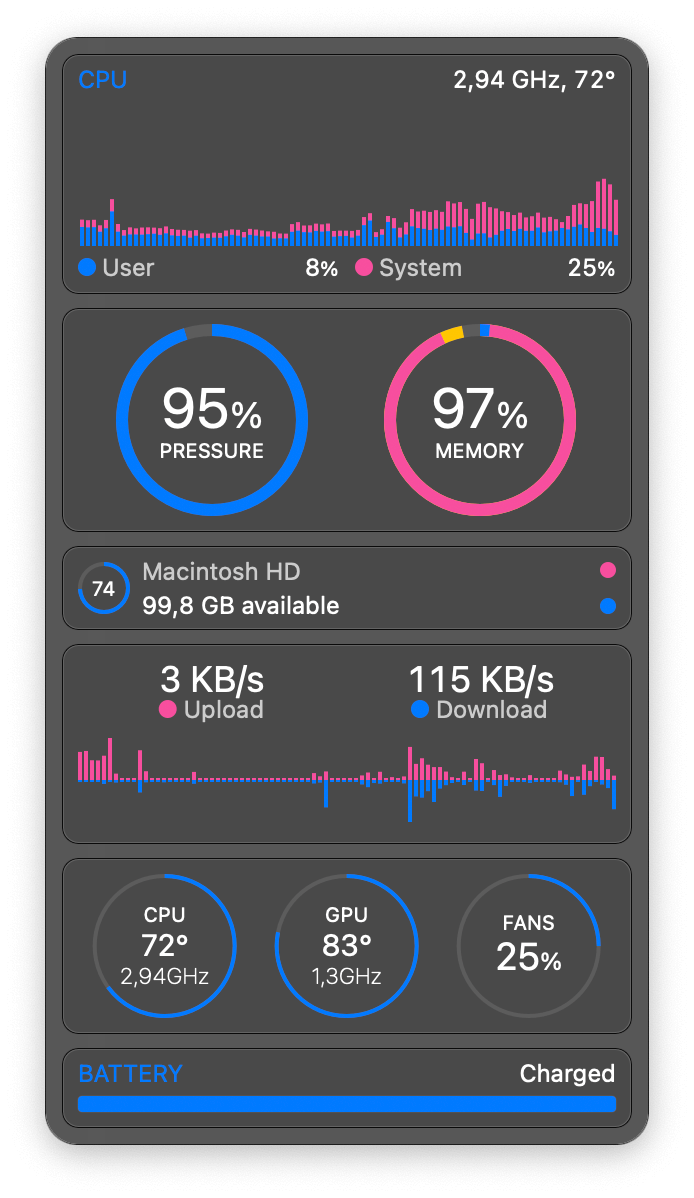
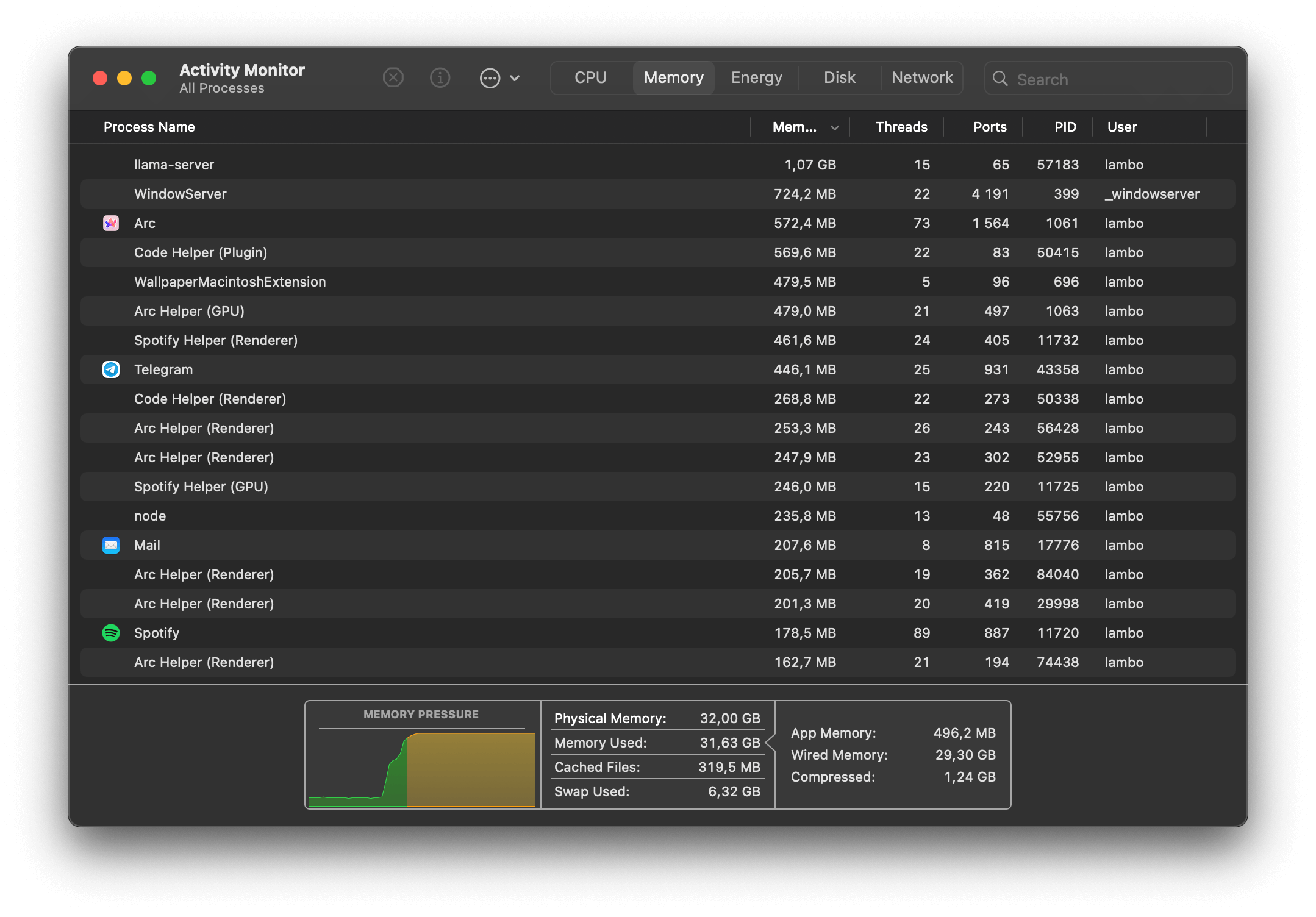
But it worked! Just with a merely usable 4.40 tokens per second speed. Here we can actually see its thought process, which is what this model is all about. It’s quite funny that it thought for so much just for a two-line joke, isn’t it?

I also tried the 14B one with 8-bit quantization, which the file size is about 15.7GB. It worked way faster than the 32B one, with twice the speed of 10.35 tokens per second. And I think for me and my Mac, the 14B model might just be the sweet spot to run some fun tasks locally.

Afterthoughts
I asked the 14B local model to check grammar mistakes for this post, and I will just say that the results aren’t great at all. I guess this is the nature of smaller models, not as powerful as the bigger ones, but I think their abilities can be utilized elsewhere.
It is actually quite amazing that we are able to run LLMs locally this easily with all the tools and models being developed in recent years. We are really entering the era of everybody using AI tools that are more accessible than ever, and I think despite some risks those tools could bring, if we know how to use them in a correct way, this will be a revolution about how we interact with computers.